How to sell on Redbubble after the 2026 fee changes
Redbubble is still easy to upload to. The hard part is knowing what remains after tier fees, markup fees, discounts, and the payout threshold.
Checked July 25, 2026 by POD Starter
Volatile-fact review due
Fees, integrations, locations, or policies may have changed since the displayed check date. Open the linked official sources before acting.
Start with Redbubble's current fee reality
Redbubble changed account fees on 17 March 2026. Its current help page states that Standard accounts pay 50% of monthly earnings as an account fee, Premium accounts pay 20%, and Pro accounts pay no account fee.
Standard and Premium accounts can also pay a fee equal to 50% of earnings generated by markup above 20%. Redbubble currently caps the total account fee at 150 USD, GBP, or EUR per monthly cycle.
Calculate the live fee rules before committing to a large upload target.
| Account tier | Current account fee | What it means |
|---|---|---|
| Standard | 50% of monthly earnings | Model margin before adding more work |
| Premium | 20% of monthly earnings | Still fee-sensitive |
| Pro | 0% account fee | Eligibility is not self-selected |
Check the fee model at the source:
Open and activate the Redbubble shop
- 1
Create the artist account
Use a consistent public name, add a useful bio and avatar, then complete email, payment, and account details.
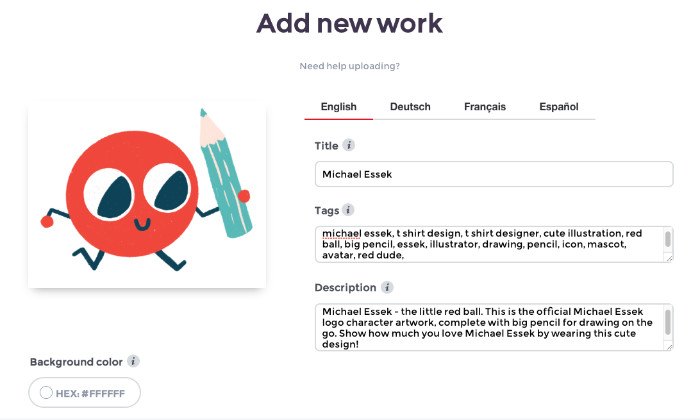
Redbubble's upload screen: title, description, and tags are part of the product—not admin filler. Michael Essek's Redbubble guide (opens in a new tab) - 2
Prepare five real launch designs
Redbubble currently requires at least five public works with one or more products enabled before the shop can become public. Do not use filler solely to unlock it.
- 3
Upload one design at a time
Write a specific title, plain-language description, and relevant tags. Avoid brands, characters, celebrities, lyrics, and other rights you do not own.
- 4
Configure products manually
Reposition and resize the artwork for each item. Disable products where the design is too small, cropped, illegible, or simply wrong for the object.
- 5
Set the artist markup
Redbubble's current default markup is 10%. Higher markup can raise the artist margin and can also trigger the additional fee above 20% for Standard and Premium accounts.
- 6
Wait for classification and visibility
Redbubble says account classification and search visibility can take up to five business days after setup requirements are complete.
- 7
Open the public listing
View the product as a buyer on desktop and mobile. Check the default image, enabled variants, price, shipping promise, title, and description before sending traffic.
Sources for this section
Design each product on purpose
A sticker needs a clean edge and readable silhouette. An art print can carry more detail, while a shirt needs placement and scale that work on a body. Enable only the products where the design holds up.
One artwork can become several products. Pick only the products where it still looks intentional.
- Preview the design at the smallest product size
- Check contrast on every enabled product color
- Use transparent edges intentionally
- Move focal points away from seams, handles, and folds
- Group genuinely related work into clear collections
Sources for this section
Help the right buyer find the design
Use the words a buyer would use for the subject, style, occasion, and recipient. The title should identify the work, and the description should explain what a thumbnail cannot.
Use relevant tag variations. Unrelated popular phrases make the listing harder to understand and can create rights risk when they borrow trending names.
Sources for this section
Calculate Redbubble earnings before payout
Artist margin starts with the product's base price and your markup. Discounts, taxes, currency effects, and current account fees change what reaches payable earnings.
The current payout threshold is 20 USD, GBP, or EUR after fees. Eligible shipped orders are processed on Redbubble's monthly cycle, with payment normally due by the 15th when the threshold and account requirements are met.
Direct bank transfer is currently limited to artists in Australia, the United States, and the United Kingdom. Other supported sellers generally need PayPal.
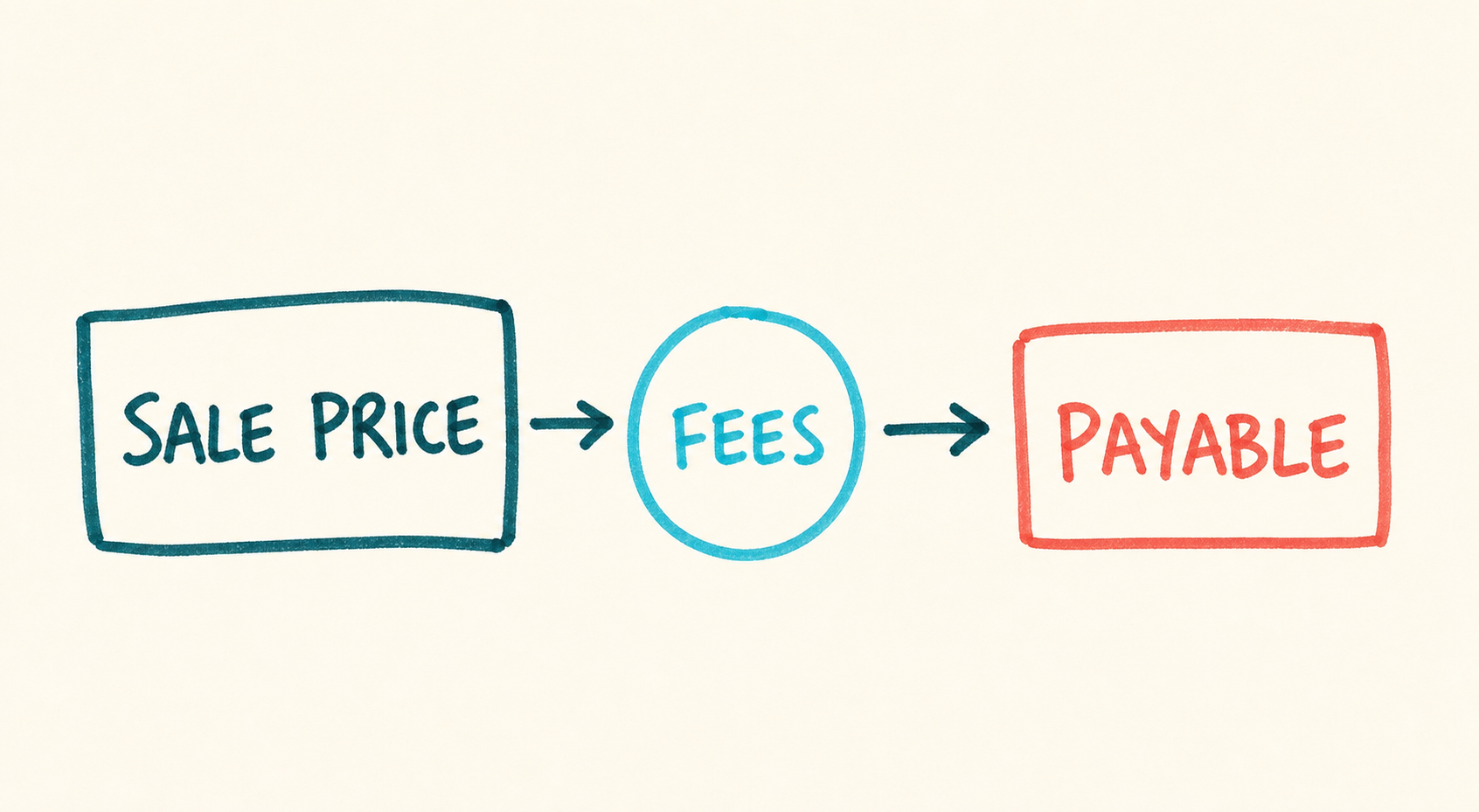
Follow one sale to payout
- 1
Sale price
Start with the live base price and your markup.
- 2
Current fees
Apply discounts, account fees, taxes, and currency effects.
- 3
Payable balance
Check the threshold and payout method before counting it as cash.
- 1
Estimate artist margin
Use the live base price and markup for the product.
- 2
Apply likely discounts
Marketplace promotions can change the amount used in the margin calculation.
- 3
Apply account and markup fees
Use the current tier and fee rules, not an old earnings screenshot.
- 4
Check threshold and payout method
Cash below the threshold is not yet money in your account.
Is Redbubble worth it in 2026?
Redbubble is worth a small test when you model the current fee tier first and configure a few original designs for products they suit.
Choose another channel if you need stable margins, customer ownership, or control over pricing and discovery. For a Standard account, a large upload target is hard to justify when the current tier fee removes half of monthly earnings.
Start with:
- Five to ten original designs in one coherent buyer theme
- Only the products each design genuinely suits
- A fee-adjusted earnings sheet
- A weekly review of views, favorites, sales, and product fit
- A stop rule if the economics do not justify more uploads
A few common questions
How much does Redbubble take from artists in 2026?
Redbubble's March 2026 policy lists a 50% monthly account fee for Standard, 20% for Premium, and 0% for Pro. Standard and Premium can also pay a fee on markup earnings above 20%, subject to the current total cap.
How many designs do I need to open a Redbubble shop?
Redbubble currently requires at least five public works with one or more products enabled for each before the shop can become public.
What is the Redbubble payout threshold?
The current threshold is 20 USD, 20 GBP, or 20 EUR after applicable fees.
Can I set my own prices on Redbubble?
Artists set a markup over Redbubble's base price. Promotions and fee rules can change the final earnings, while Redbubble controls the rest of the retail price.
Is Redbubble worth it for beginners?
It can be useful for a small product-fit test, but beginners should calculate the current account-tier fees first. Sellers who need stable margins and customer ownership may prefer an independent store with a fulfillment supplier.
Sources and screenshot credits
Show 6 official sources
- Redbubble account fees(opens in a new tab)
- How Redbubble calculates artist payment(opens in a new tab)
- Redbubble artist account setup(opens in a new tab)
- Redbubble artist payment threshold(opens in a new tab)
- Redbubble payout schedule(opens in a new tab)
- Redbubble payout methods by country(opens in a new tab)

Get updates for this guide.
Keep up to date with news and announcements from the print-on-demand industry.