
How to sell on TeePublic: check search eligibility first
TeePublic is free and quick to upload to. Only Artisan accounts are eligible for on-site search.
Checked July 25, 2026 by POD Starter
Volatile-fact review due
Fees, integrations, locations, or policies may have changed since the displayed check date. Open the linked official sources before acting.
How TeePublic works for artists
TeePublic hosts the product pages, collects buyer payment, prints, ships, and pays artist earnings. Joining and uploading are free.
TeePublic controls regular and sale pricing. The artist earns the amount shown in its live earnings chart for the product, promotion state, and account category.
Bookkeeping is simpler because TeePublic sets the price. A weak margin cannot be repaired by raising the shirt price; improve the design, listing, or channel choice instead.
Follow one TeePublic sale
- 1
Buyer checks out
TeePublic sets the regular or sale price and collects payment.
- 2
TeePublic fulfills
The platform prints, ships, and supports the buyer.
- 3
Artist receives earnings
The live earnings chart sets the amount for the product and promotion.
- 4
Discovery depends on category
Only Artisan accounts are eligible for on-site search.
Sources for this section
Understand TeePublic account categories first
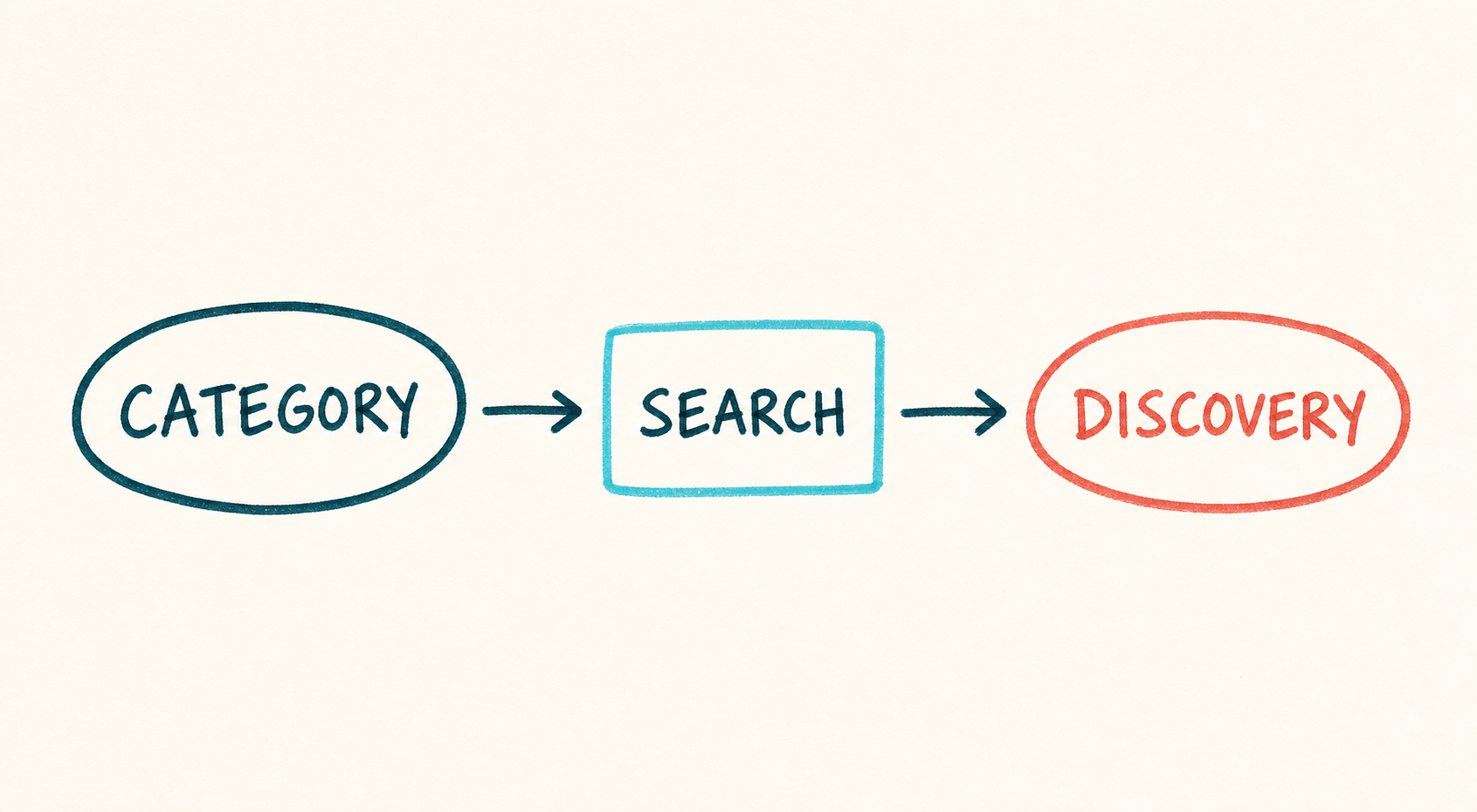
TeePublic currently uses Pending, Apprentice, and Artisan account categories. Only Artisan accounts are eligible to appear in on-site search. Pending and Apprentice stores can still have public products, but buyers must reach them through direct or external paths.
TeePublic says artists cannot simply request an upgrade from Apprentice to Artisan. Treat the category as a discovery rule when deciding how to bring buyers to the store.
Account category sets the discovery route
- 1
Pending
The account is still being reviewed.
- 2
Apprentice
Products can be public but are not in on-site search.
- 3
Artisan
Designs are eligible for on-site search discovery.
Read the current category rules:
Build the first TeePublic listing
- 1
Create and finish the storefront
Use a consistent artist name, profile, banner, bio, payment method, and contact details.
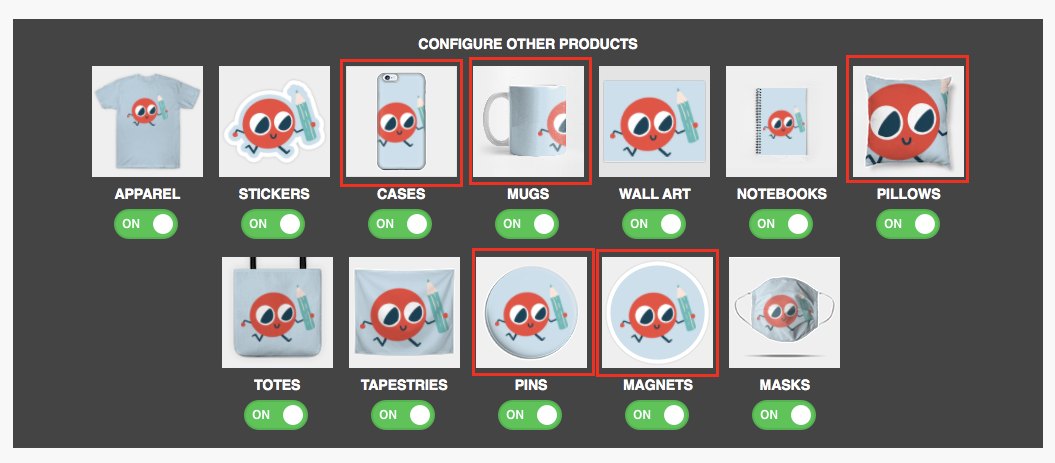
TeePublic's product selector: enable only the products where the design stays legible. Michael Essek's TeePublic guide (opens in a new tab) - 2
Prepare the master artwork
TeePublic recommends a transparent PNG at 150 dpi. A 5000 by 5500 pixel file currently enables all product types, but each design still needs product-level review.
- 3
Write for a real buyer
Use a clear title, a description of the visible idea, and relevant tags for subject, style, audience, and occasion. Leave protected names out of traffic tags.
- 4
Configure every enabled product
Adjust scale and placement. Disable products where the composition, crop, or readable size fails.
- 5
Publish and inspect the public page
Check the default product, background colors, storefront organization, product preview, and mobile page.
- 6
Check the buyer checkout
Open the public product, select the main variant, and read the final price and shipping promise. If you can buy in the target market, use that route for a sample order.
- 7
Check the account category
Use the category to set realistic expectations for TeePublic search versus traffic you bring yourself.
Sources for this section
Write a TeePublic listing people can understand
Use a title that names the actual subject. Use the description to add context a thumbnail cannot show; tags should support that plain-language listing.
Specific tags help when they remain true. Add subject, style, recipient, or occasion only where the artwork supports them. Unrelated tags bring the wrong buyer.
- Name the visible subject in ordinary language
- Add style or medium only when it is accurate
- Use recipient and occasion terms selectively
- Avoid duplicates, misspellings, and unrelated trends
- Keep every word clear of third-party rights
Sources for this section
Use TeePublic's fast uploader slowly enough
The upload flow can put artwork on many products quickly. Product fit still decides whether those listings look intentional.
Large apparel art, a compact sticker, and a phone case have different composition needs. One file size may unlock all products without making all products sellable.
Sources for this section
TeePublic earnings and payout
TeePublic pays fixed artist earnings. The amount changes by product, sale status, and account category, so use the live earnings table instead of an old spreadsheet.
Current payouts use PayPal or Payoneer and are sent in US dollars on the 15th for the prior month's eligible earnings. Currency conversion may reduce what arrives in a non-USD account.
- Check the live earnings for the main product
- Compare regular and sale earnings
- Confirm account category
- Confirm PayPal or Payoneer details
- Allow for USD conversion and provider fees
Sources for this section
Is TeePublic worth it?
TeePublic is worth a small test when you want a fast upload, can accept fixed prices, and have original work suited to its apparel-led audience.
Use another primary channel when the account is not search-eligible and you have no external traffic. TeePublic also fits poorly when your margin plan depends on changing retail prices.
A useful first test:
- Publish five to ten coherent original designs
- Configure only the products that look intentional
- Record account category and search eligibility
- Track direct traffic separately from marketplace discovery
- Review earnings per product before adding more work
Sources for this section
A few common questions
Is it free to sell on TeePublic?
Yes. Creating a store and uploading work is free. TeePublic handles product pricing, printing, shipping, and artist earnings.
Can TeePublic artists set their own prices?
No. TeePublic controls regular and sale prices. Artist earnings follow its live earnings chart and can vary by product, promotion, and account category.
Why are my TeePublic designs not showing in search?
Only Artisan accounts are currently eligible for TeePublic's on-site search. Pending and Apprentice account designs do not appear there.
How does TeePublic pay artists?
TeePublic currently pays through PayPal or Payoneer in US dollars on the 15th for the previous month's eligible earnings.
What file size should I upload to TeePublic?
TeePublic recommends a transparent PNG at 150 dpi. Its current guidance says 5000 by 5500 pixels enables all products, though every product preview still needs manual checking.
Sources and screenshot credits
Show 7 official sources
- How TeePublic works(opens in a new tab)
- TeePublic store and upload cost(opens in a new tab)
- TeePublic account categories(opens in a new tab)
- TeePublic search visibility for Apprentice accounts(opens in a new tab)
- TeePublic earnings chart(opens in a new tab)
- TeePublic artist payouts(opens in a new tab)
- TeePublic file dimensions(opens in a new tab)

Get updates for this guide.
Keep up to date with news and announcements from the print-on-demand industry.